Segments
Segments are subscriber groups defined by conditions — tag, activity, join date. Their membership recalculates automatically as subscribers come and go.
A segment is a subscriber group defined by conditions — not a fixed list. "Active subscribers tagged Clients who joined in the last 30 days" is a segment: its membership updates automatically as people subscribe, unsubscribe and receive tags.
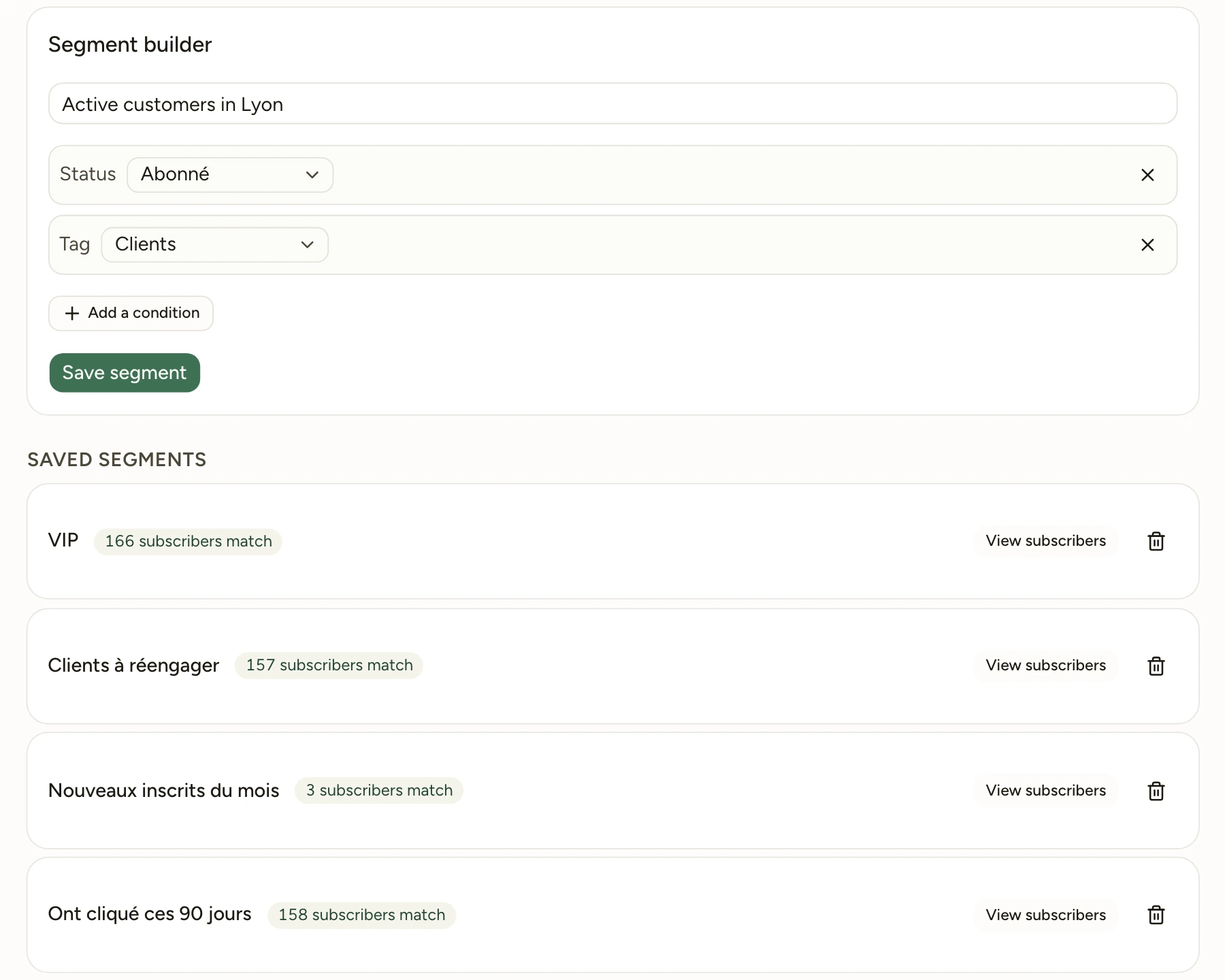
Dynamic, always current
This is the essential difference from a static list: you never manually "add" anyone to a segment. You describe conditions, and Mailcheer recalculates the membership every time you view it. A new subscriber who meets the conditions enters immediately; an unsubscribed contact exits automatically.
Available conditions
All conditions in a segment are combined with AND (the subscriber must meet all of them):
| Condition | Example |
|---|---|
| Status | subscribed, unsubscribed… |
| Tag | has the tag "Clients" |
| Engagement | opened (or clicked) an email in the last N days |
| Tenure | joined in the last N days |
Live count
While you build a segment, the matching subscriber count updates in real time: you immediately see the size of your audience.
Segment count vs. actual targeting
The segment counter includes all subscribers who meet the conditions, regardless of their status. At send time, only active subscribers (status "subscribed") are actually targeted: an unsubscribed contact or an address on the suppression list will never receive anything, even if they match the conditions.
Send to a segment
On the page of a draft or scheduled campaign, the Recipients block offers "The whole list" or one of your segments, with the subscriber count of each. The campaign goes only to the active subscribers of the chosen segment.
When to use a segment
Segments work best when you need to send different messages to different parts of your audience. Some examples: send a reactivation email only to subscribers who have not opened anything in 90 days; announce a product update only to contacts tagged "Customers"; welcome new subscribers with a different first email.
A segment also helps you understand your list before you send: check the count before launching a campaign to confirm the audience is the size you expect.